
Adding a Loved One
A "loved one" is anyone whose records you're managing — a child, a parent, or yourself. Each loved one gets their own profile, and you can add as many as you need.
Open the form
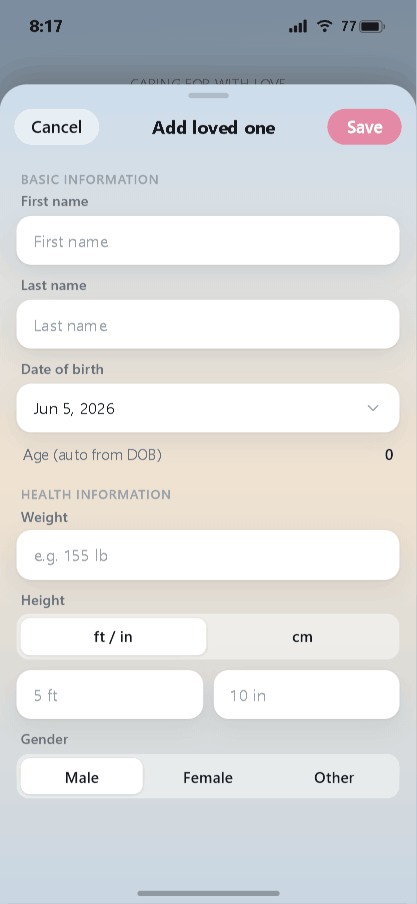
From the home screen, tap Add someone else (or Add a loved one to care for). The new-loved-one form slides up.
Fill in their details
Basic information
- First name and Last name.
- Date of birth — tap to pick the date. Their age fills in automatically.
Health information
- Weight.
- Height — choose ft / in or cm, then enter the value.
- Gender — Male, Female, or Other.
Only the name is essential to get started; you can always come back and add health details later.
Save
Tap Save in the top-right corner. (Tap Cancel to back out without saving.) Your new loved one now appears on the home screen, ready for you to add their records, documents, and events.
Switching between loved ones
When you care for more than one person, swipe the loved-one card on the home screen left or right to move between them. Each person keeps their own separate records.
Next: organizing documents.
Stay organized with iDocThis
Keep the documents, notes, and dates that matter for Using iDocThis in one secure place.
Get startedRelated articles