
Back to Using iDocThis
Sharing Access and Account Settings
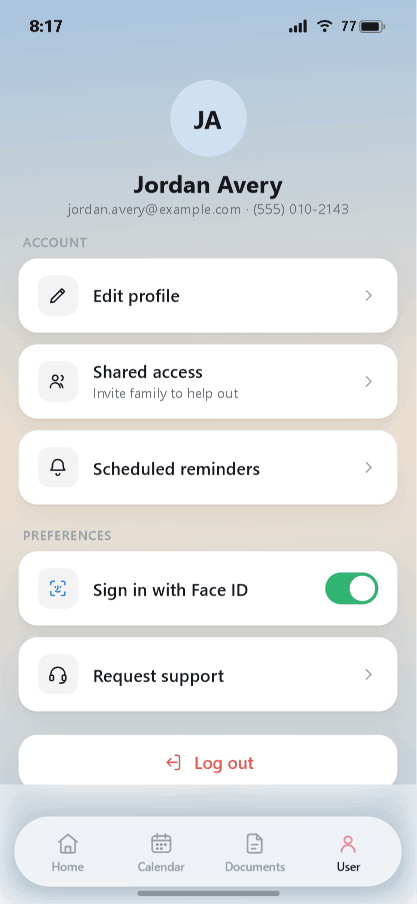
The User tab is your account home — where you manage your profile, who can help you, and your sign-in preferences.
Your profile
At the top you'll see your name, email, and phone. Tap Edit profile to update them.
Sharing access with family
Caregiving is rarely a one-person job. Tap Shared access to invite family to help out, so another person can pitch in on records and appointments. This is the way to share the load while keeping everything in one account.
Reminders and preferences
- Scheduled reminders — review and manage the reminders tied to your events and refills.
- Sign in with Face ID — toggle on for faster, secure sign-in (on supported devices).
- Request support — reach the iDocThis team if you need help.
Logging out
Tap Log out at the bottom of the screen when you're done, especially on a shared device.
That completes the core walkthrough. Start back at Getting Started any time.
Stay organized with iDocThis
Keep the documents, notes, and dates that matter for Using iDocThis in one secure place.
Get startedRelated articles